After recording your course, one of the biggest challenges instructors face is ensuring clear and crisp audio. Taking time at the beginning to fine-tune your sound setup can save you from headaches later and ensure learners hear your voice loud and clear.
Here are common audio issues instructors encounter and how to solve them:
Key Reminders Before Recording:
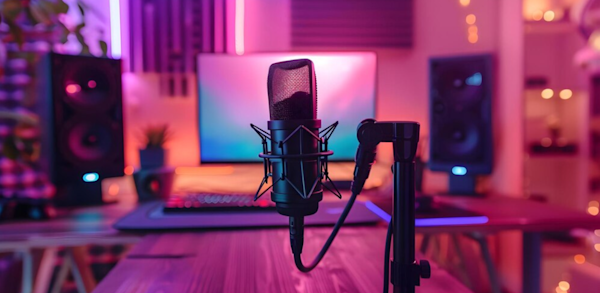
Use an external microphone rather than relying on built-in mics from cameras, computers, or phones.
Regularly check your audio quality to avoid re-recording entire sections later on.
Avoid Echo and Background Noise:
Recording in an empty room without wall coverings can lead to unpleasant echoes that make your voice sound distant. To tackle this, add soundproofing elements like acoustic panels, blankets, or soft furnishings to absorb sound.
For more tips, learn how to set up your recording space.
Consistently pause and listen to recordings for other distracting sounds such as traffic, air conditioning, or people talking, as they’re easy to miss while you’re in the middle of recording.
Common Audio Problems and Solutions:
Distraction: If you hear a constant electric hum, it’s likely due to setting the ‘gain’ too high. Lower the gain to avoid overpowering background noise.
Hissing Sounds: A low-quality microphone often causes a hissing background. Avoid using built-in mics and opt for an external, high-quality microphone.
Low Volume: Ensure the microphone is close enough and that you’re speaking clearly and directly into it.
Muffled Voice: Standing too close to the mic can result in muffled sound. Position yourself 6-12 inches (15-30 cm) away for a clearer recording.
Popping Sounds: Words containing “p” and “t” often create pop noises. Step back from the microphone or use a pop filter to reduce these unwanted sounds.
By addressing these common audio problems, you’ll improve the quality of your course and deliver a more enjoyable experience for your learners.